Choosing between electric and manual fastening tools defines how technicians balance throughput against precision during electronic hardware servicing. Modern electronics feature miniaturized fasteners anchored into fragile composite housings or delicate aluminum threads. Applying incorrect torque or rotational speed during disassembly risks stripping fastener heads, cracking retaining posts, or permanently destroying sensitive circuit board assemblies.
Understanding key functional differences between motorized drivers and manual hand tools allows workshop managers to optimize assembly and repair stations. While motorized units accelerate screw insertion on uniform assembly lines, manual instruments provide unmatched tactile feedback for delicate maintenance. Evaluating these distinct mechanical approaches across six critical performance criteria ensures technicians deploy the ideal tool for each specific fastening task.
Rotational Velocity Versus Tactile Torque Feedback
Rotational speed represents the most visible contrast between electric power units and manual precision hand drivers. Electric drivers utilize miniature electric motors and reduction gearboxes to spin bits at high revolutions per minute, expediting long screw extraction. This rapid rotation saves significant labor during repetitive production tasks where hundreds of identical structural fasteners must be seated rapidly.
Motorized drives introduce distinct challenges when dealing with fragile consumer gadgets and variable thread pitches. Electric motors deliver continuous rotational momentum that cannot decelerate instantly once a fastener seats firmly against a housing shoulder. Without precise electronic clutch disengagement, this sudden stop transfers excess torque into delicate plastic threads, causing thread stripping or damaging fastener sockets.
Mechanical Thread Protection in Micro-Fastener Servicing
Fastener integrity depends heavily on immediate tactile feedback that only human fingertips can sense through a driver handle. Technicians working on smartphones or laptops must detect subtle changes in resistance caused by thread galling, cross-threading, or factory-applied threadlocker. Detecting these micro-resistances prevents applying destructive force against misaligned threads inside delicate chassis assemblies.
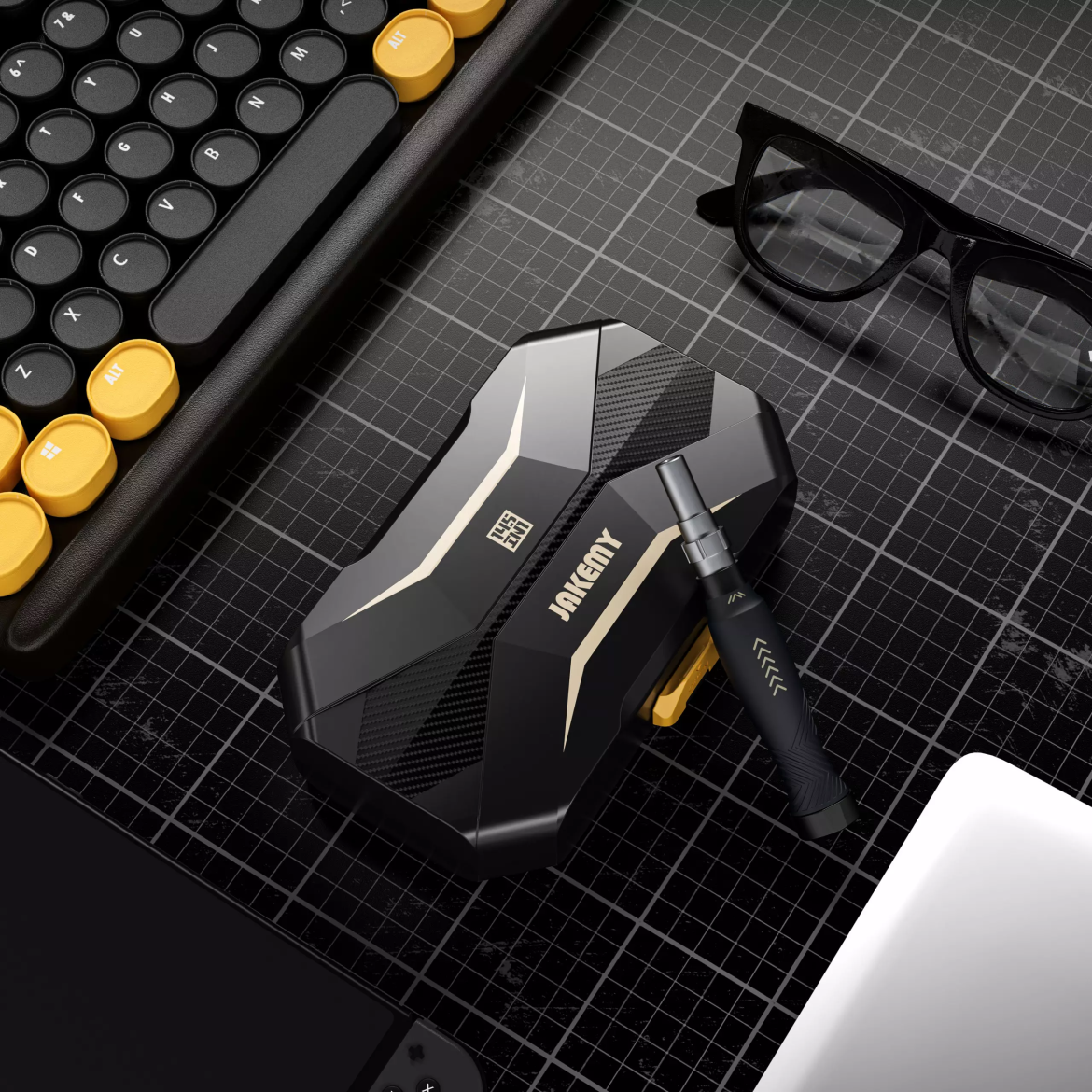
Manual instruments provide unbroken physical communication between the fastener head and the technician’s fingertips. Utilizing a Jakemy precision screwdriver set allows operators to regulate applied rotational force down to fractions of a centimeter-ounce. An ergonomic anti-slip handle featuring a smooth-spinning rotating cap lets technicians maintain steady downward axial force while delicately turning micro-fasteners without cam-out risks.
Spatial Clearance and Deep-Cavity Bit Reach
Confined enclosures present distinct spatial obstacles where tool geometry determines whether a technician can access recessed internal fasteners. Electric screwdrivers house internal motors, planetary gearing, and rechargeable lithium cells, creating bulky cylindrical handles that restrict visibility. This increased diameter often collides with outer laptop bezels or battery compartments when attempting to reach deep fasteners.
Bulky motor housings frequently obstruct line of sight into narrow chassis wells and deep battery cavities. Deploying a Jakemy screwdriver set resolves spatial limitations through specialized S-2 steel 45-millimeter deep-hole bits and built-in adjustable extensions. Activating the integrated handle push-switch extends the slender shaft up to 50 millimeters, granting unobstructed sightlines and reach into deep laptop hardware structures.
Bit Variety and Modular Workplace Storage
Bench organization requires broad fastener adaptability to manage diverse proprietary screw geometries across modern electronics ecosystems. Electric screwdrivers typically arrive in compact cases holding twelve to thirty basic bits, limiting their utility on complex repair benches. Technicians confronting multi-brand servicing must constantly source secondary bit sets to address specialized security, pentalobe, or tri-wing fasteners.
Comprehensive manual solutions address diverse screw profiles within a single self-contained workstation kit. Sourcing a Jakemy precision screwdriver set delivers a 145-piece layout featuring 116 chrome vanadium bits, 12 sockets, and laser-engraved sizing markings. This dense bit ecosystem equips technicians to handle Torx security, standoffs, triangle drives, and miniature hex fasteners without cluttering workbenches with mismatched toolsets.
Power Continuity and Field Deployment Reliability
Operational reliability hinges on continuous power availability across demanding multi-shift repair cycles. Electric drivers rely on internal lithium-ion batteries that require periodic recharging, introducing unexpected workbench downtime if spare units are unavailable. Battery degradation over hundreds of thermal charge cycles gradually diminishes operating torque, resulting in inconsistent fastening power during busy workdays.
Rechargeable internal cells require scheduled dock intervals, whereas manual precision tools remain continuously operational. Selecting a Jakemy screwdriver set eliminates battery health management, electrical charging cables, and motor burnout concerns across commercial repair stations. Manual hand tools remain permanently ready for immediate deployment in mobile field servicing, cleanrooms, and high-turnover electronics refurbishing lines.
Auxiliary Opening Tools and Housing Separation
Electronics repair demands specialized chassis separation accessories before fastener engagement can even commence. Modern smartphones, tablets, and gaming consoles rely on heavy perimeter adhesives and tight snap-fit perimeter latches. Standalone electric screwdrivers lack auxiliary opening implements, forcing repair facilities to procure separate spudgers, suction devices, and prying picks from outside suppliers.
Integrated disassembly suites bundle non-marring pry tools alongside primary driver handles to streamline device opening. Investing in a Jakemy precision screwdriver set supplies two spudgers, five ultra-thin opening tools, a suction cup, and an antistatic tweezer. Having dedicated opening tools and antistatic tweezers co-located within a diamond-cut case ensures safe screen lifting and component handling without electrostatic discharge hazards.
Strategic Equipment Selection for Repair Workbenches
Selecting the proper drive architecture comes down to balancing high-speed volume against meticulous fastener safety. Production assembly plants running standardized chassis designs benefit from motorized velocity to minimize cycle times. Conversely, technical repair depots, refurbishing facilities, and field technicians handling mixed electronics require the sensory control, bit diversity, and continuous dependability of manual precision systems.
High-volume manufacturing lines benefit from motorized velocity, but precision repair environments rely on tactile manual control. Standardizing workbench tooling around a Jakemy screwdriver set equips technicians with 132 durable CR-V and S-2 bits, robust opening accessories, and reliable manual torque control. Matching the drive mechanism to the specific operational environment maximizes repair throughput while safeguarding delicate electronic assemblies against expensive torque damage.